

There's nothing worse than setting aside an evening to immerse yourself in intense tactical experiments, gathering your entire team on Discord, press
There’s nothing worse than setting aside an evening to immerse yourself in intense tactical experiments, gathering your entire team on Discord, pressing that “play” button and then staring blankly at a screen that says Delta Force connection failed. I had a similar headache over the weekend. I was in the middle of sorting out my loadout when the game suddenly stopped, stuttering, and returned me to the main menu with the usual network timeout message.
This completely breaks the immersion of your game and wastes your limited gaming time.
When a massively multiplayer shooter pushes its regional data paths to the absolute limit, these connection interruptions are bound to happen. Sometimes, the problem lies with an overloaded backend infrastructure, causing players to ask if they need to do a Delta Force down for emergency server maintenance. Other times, the problem is a silent local bottleneck, like a strict Windows Firewall rule or a jammed DNS cache dropping secure data packets that your system needs to stay in sync.
📱 Game Fixed? Join Our Community For Daily Error Fixes & APK Updates!
In this in depth troubleshooting guide, I’ll walk you through exactly how to find out if the game developers are currently fixing a server-side crash, or if a quick local network refresh can get you past the title screen and back into action.
Looking for more than just network fixes? Whether you’re experiencing desktop launcher crashes, device hardware optimization issues, or console setup freezes, head over to our complete master directory that tracks the Delta Force Hawk Ops known bug fix blueprint and instantly fix every major platform bug.
Delta Force Connection Failed Error Code Reference Table
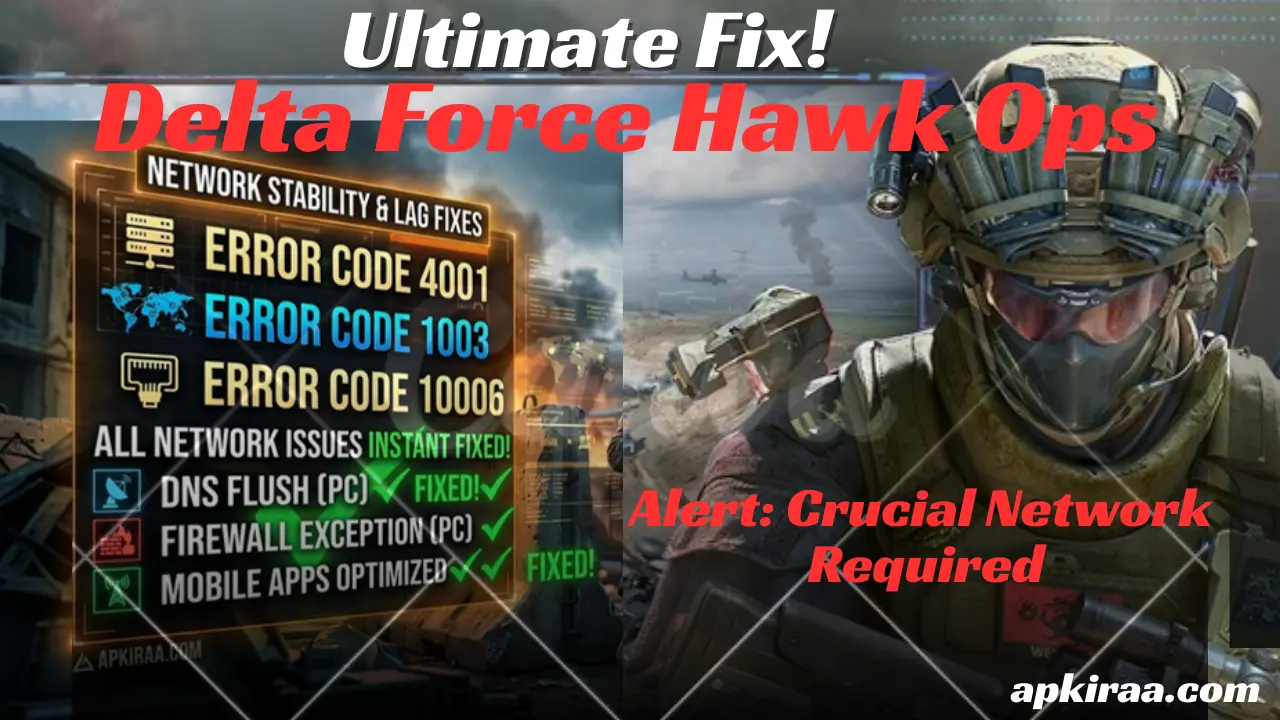
When a connection is lost, the system often throws a specific error code next to the general timeout text. Instead of forcing yourself to blindly guess what went wrong, use this quick reference table to immediately pinpoint the exact interruption.
| Error Code | What It Means | Root Cause | Immediate Action |
| Error Code 4001 | Server Handshake Failure | Outdated session token or login security mismatch. | Close the game, restart the launcher, and let it re-authenticate your profile. |
| Error Code 1003 | Matchmaking Timeout | The regional server lobby node you are trying to queue into is full. | Temporarily switch your matchmaking region or restart the lobby queue. |
| Error Code 10006 | Insufficient Network Buffer | System network adapters cannot handle the stream of incoming player packets. | Flush your system DNS cache and shut down data-heavy background apps. |
Keep in mind that hardware storage issues can also mimic network timeouts. If your installation bar won’t move, see how to fix the Delta Force PS5 stuck on decompressing resource files error.
Is Delta Force Down? How to Check Server Status
Before checking your computer’s internal network configuration settings or power cycling your home’s hardware, your first step should be to confirm whether the game is truly playable for everyone. When massive balance updates go down or seasonal events go live, backend database nodes can easily collapse under sudden waves of traffic.
If the developers are completely melting the server framework, no matter how much you adjust your local router settings, it won’t make you compatible. You just have to sit back and let their engineering team deploy a hotfix.
To save yourself the headache of fixing a problem that’s not on your side, first check these official channels to see if Delta Force is down.
1. Official Support Ticket Portal: Check live system flags directly through official developer channels on the Delta Force Player Support Portal.
2. Community Discord Server: Go to the official community server’s announcements or server status channels. If a massive network routing outage occurs, thousands of other players will be talking about it in real time.

3. Official social media feeds: Developers constantly post emergency maintenance alerts and expected downtime windows directly to their official community channels.
If these platforms show that everything is working perfectly, it means that the blockage is localized somewhere on your own home line. Let’s move on to cleaning it.
Step-by-Step Delta Force Connection Failed Fixes for PC Players
If you have checked the official channels and the game’s servers are completely fine, the bottleneck is localized to your desktop rig. Usually, this means that your operating system or security settings are accidentally dropping data packets during the game’s strict anti cheat verification handshake.
Here are the exact step-by-step methods I used to clean up Delta Force Connection Failed to my PC connection path and eliminate random server lag.
1. Flush Your System DNS Cache
Over time, your computer saves old server routing maps in its local temporary memory. If Delta Force changes its server locations or updates its routing lines, your PC may still be trying to connect using a broken, old route. Flushing the cache forces Windows to request a brand new, clean connection path.
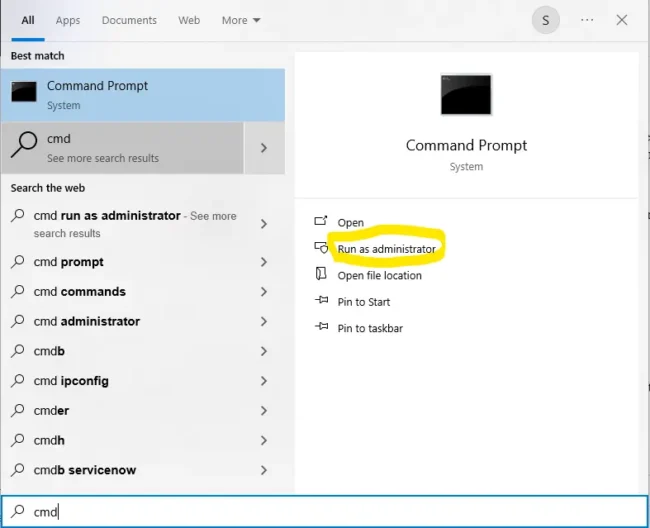
1. Click on your Windows search bar, type cmd, right click on Command Prompt, and select “Run as administrator.”
2. In the black window that appears, type ipconfig /flushdns exactly as it appears and press “Enter”.
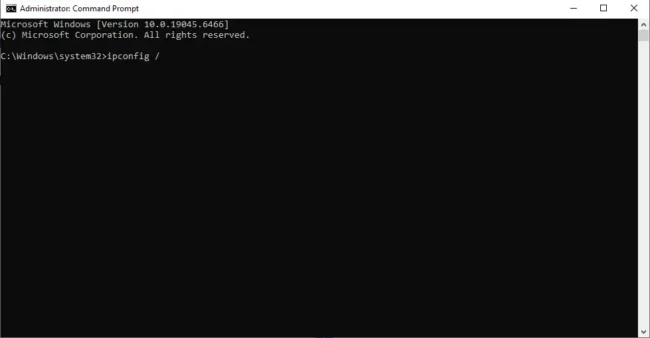
3. You will see a success message that the cache has been cleared. Go ahead and launch the game to test it.
2. Whitelist the Game Client in Windows Defender Firewall
Windows security systems are inherently aggressive. Often, they mistake a game’s multiplayer network packets for an external security threat and completely block the flow of incoming data in the middle of a match.
1. Open your Windows Start menu, type Firewall, and click “Allow” an app through Windows Firewall.
2. Click the Change Settings button in the top right (this requires administrator access).
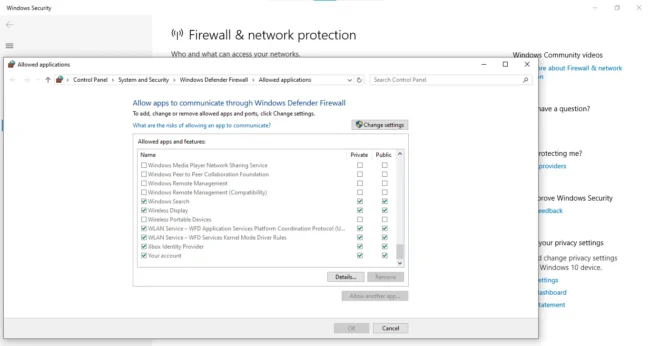
3. Scroll down until you find the Delta Force Launcher and the main game file. Make sure the Private and Public checkboxes next to them are fully checked.

4. Click “OK” to save and close the window.
3. Swap to Google’s Public DNS Servers
By default, your computer automatically uses your Internet Service Provider (ISP)’s default DNS servers, which are notoriously slow and not ideal for gaming traffic. Switching to an open public DNS will immediately stabilize your data delivery.
1. Open your Control Panel and go to Network and Sharing Center and Change adapter settings.
2. Right click on your active Internet connection (Wi-Fi or Ethernet) and select Properties.
3. Double click Internet Protocol Version 4 (TCP/IPv4).
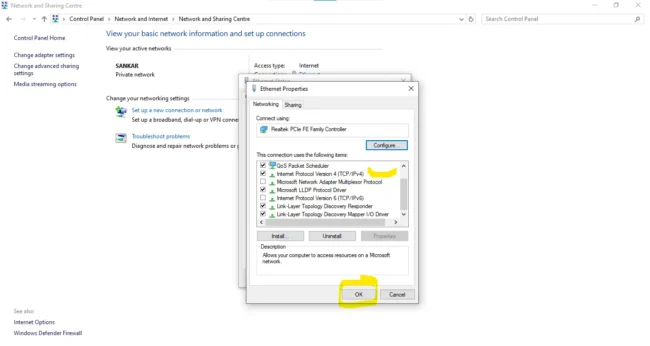
4. Select Use the following DNS server addresses and type these exact numbers
- Preferred DNS server: 8.8.8.8
- Alternate DNS server: 8.8.4.4
5. Click “OK” button to lock the adjustments.
Delta Force Connection Failed For Mobile Optimizations
If you are experiencing Delta Force Connection Failed for Mobile or sudden disconnects on an Android or iOS device, the root cause is usually a little different than on a PC. Smartphones often cut off or throttle network adapters when the device gets too hot or other background apps start hogging internal bandwidth.
Try this quick clean up to stop power outages on your smartphone network.
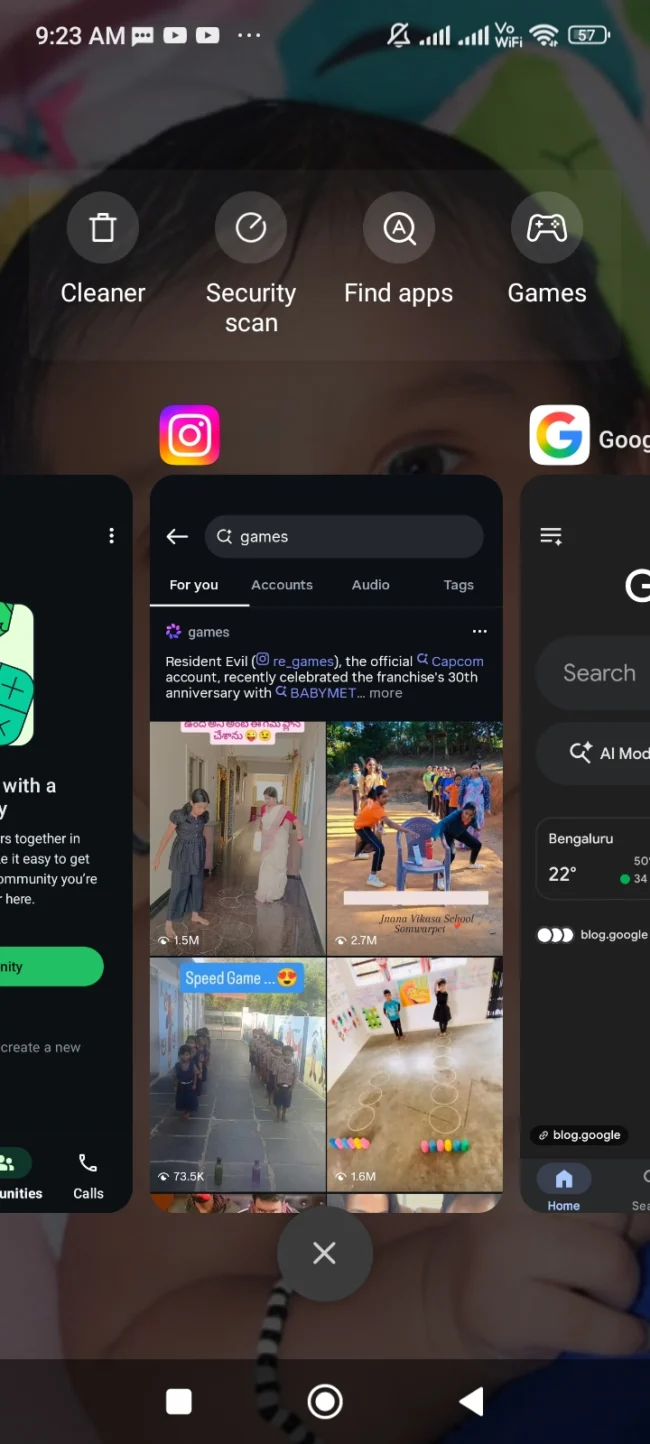
1. Kill Restless Background Apps: Social media platforms like TikTok, Instagram, and WhatsApp constantly stream data in the background. Shut down all other open apps before starting your extraction match to dedicate 100% of your bandwidth to the game.
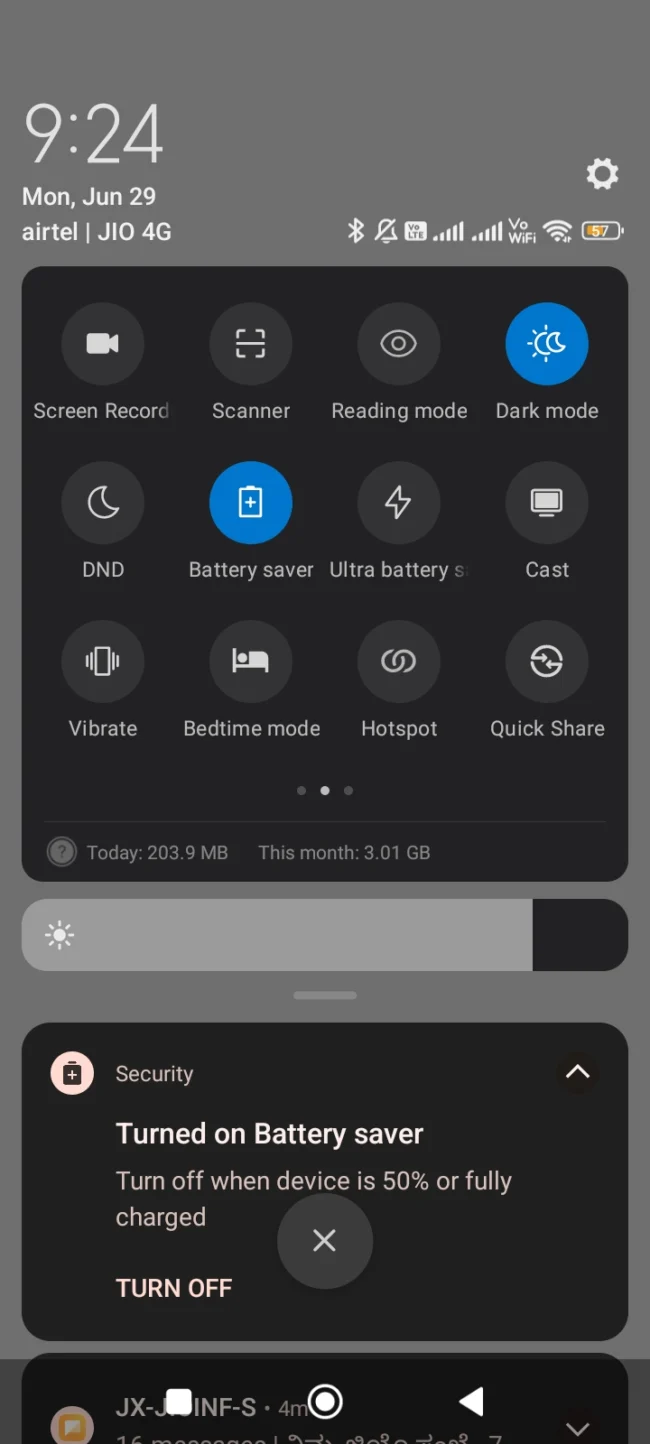
2. Turn off battery saver profiles: Battery saving modes are designed to save power by intentionally throttling your phone’s internal Wi-Fi and cellular chips. Switch your smartphone’s system profile to “Performance Mode” to ensure a robust, unthrottled connection.
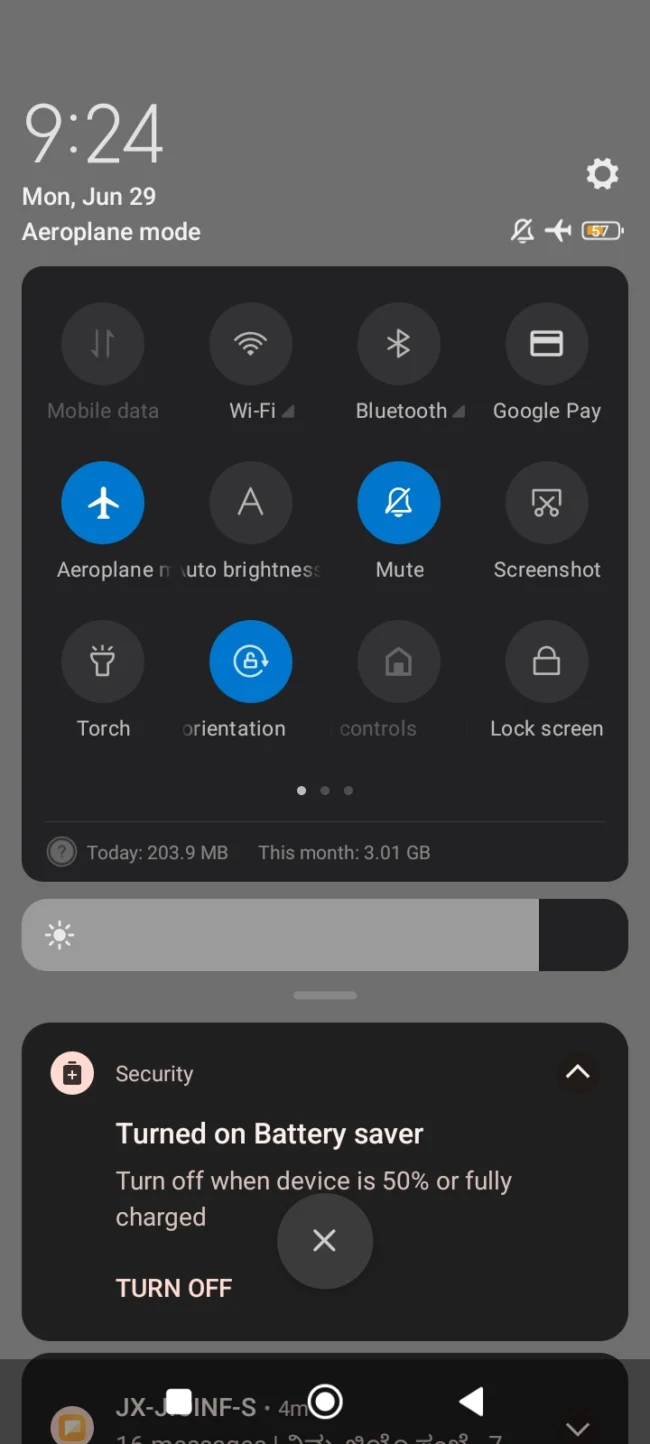
3. Perform a quick network reset via Airplane Mode: If your mobile network routing is slow or has completely stopped, turn your phone’s Airplane Mode on for about 10 seconds, then turn it off. This forces your mobile chip to disconnect and run a new handshake with the nearest, fastest cell tower in your area.

Pro-tip for cross-platform players: If your mobile device or desktop rig isn’t just dealing with network timeouts, but is also shutting down completely or crashing to the desktop in other major action titles, you’re not alone. Hardware bottlenecks can cause massive system conflicts across multiple game engines. Be sure to check out our comprehensive technical breakdown on how to fix Zenless Zone Zero V3 crashing errors to optimize your local graphics caches and stop system-level application freezes immediately.
Frequently Asked Questions (FAQ’s)
What does “Delta Force Connection Failed” actually mean?
This error screen indicates that your game client has completely lost communication with the remote game servers. It typically hits players during high traffic weekend windows due to server side congestion, a local Windows firewall blocking the game’s anti cheat network packets incorrectly, or minor data routing drops from your local Internet Service Provider (ISP).
Even though my internet speed is high, why is my in-game ping incredibly high?
A high ping usually indicates a bad routing path between your ISP and the game’s regional database nodes, rather than your actual download speed. Even if your internet is fast, your data may be taking a huge route through congested routing paths. Flushing your system’s DNS cache or adjusting your network adapters can force a more direct, stable connection path.
How can I easily check if the Delta Force servers are completely down for everyone?
Your best bet is to check the official player support portal or head over to their community Discord server. If thousands of other operators are reporting similar matchmaking freezes or launch timeouts at the same time, the network is either down for maintenance or experiencing server drops and you’ll have to wait for a developer hotfix.
Will disabling my Windows Firewall safely fix the connection failure error?
Turning off your firewall completely can bypass the block, but it leaves your PC completely vulnerable to security threats. It’s much safer to add the game launcher and main executable file as trusted exceptions within your Windows Defender security panel, which will allow safe game data to pass through cleanly without dropping your protection.
Conclusion
Being kicked out of a severe extraction or blocked right at the main title screen by a sudden Delta Force Connection Failed is incredibly frustrating. However, once you have isolated whether the root cause is an official server side drop or a simple local data outage, clearing the path becomes second nature. By taking a few quick minutes to clear your system’s temporary DNS maps, whitelisting your game files through your system firewall, or streamlining your mobile background apps, you can easily clean up your network line and ensure your gear never drops due to random disconnections.
If you are struggling with a different type of system glitch in the future, be sure to cross reference our ultimate Delta Force Hawk Ops bug fix database to fully optimize your entire game client.
Don’t forget to save this guide to your browser’s bookmark list. Our technical optimization team at apkiraa.com constantly monitors community network reports and updates this guide live with the latest tested fixes as soon as a new developer optimization patch goes live.

COMMENTS