

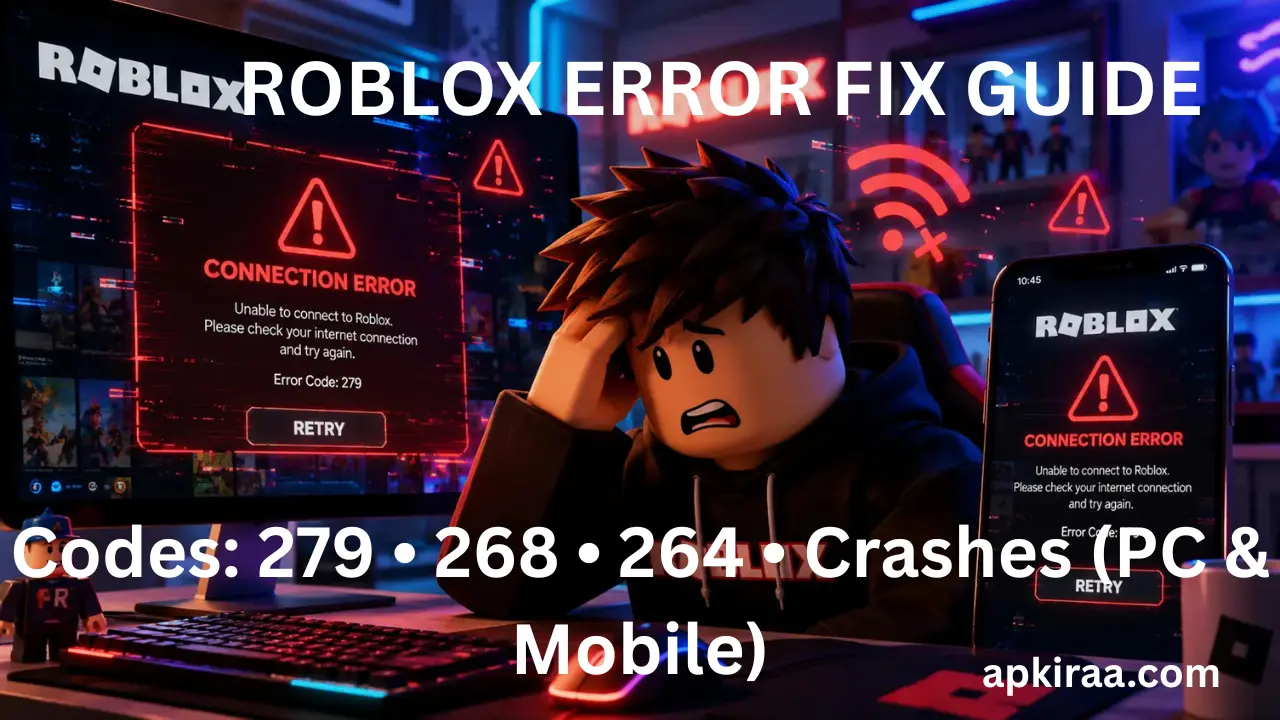
Roblox is one of the world's largest online gaming platforms, bringing together millions of players every day across PC, Android, iOS, and consoles.
Roblox is one of the world’s largest online gaming platforms, bringing together millions of players every day across PC, Android, iOS, and consoles. However, frequent engine updates, anti cheat checks, and heavy server loads mean that players regularly encounter unexpected error pop ups and disconnections. Knowing how to fix Roblox errors on all devices will allow you to quickly detect technical errors, bypass server handshake blocks, and return to your favourite experiences without losing progress.
Whether you are experiencing failed connection prompts, unexpected client behaviour kicks, multi device session conflicts or sudden out-of-memory crashes, this master index categorizes every common Roblox error code into four major categories and provides step-by-step solutions.
How to Fix Roblox Errors- Universal Quick Fix Diagnostics Checklist
Before troubleshooting individual status codes, try these three universal steps. They resolve more than 75% of temporary platform errors.
📱 Game Fixed? Join Our Community For Daily Error Fixes & APK Updates!
1. Check the official Roblox server status: Visit roblox.status.com to check if the servers are currently experiencing extensive maintenance or outages.
2. Clear app cache data: Delete temporary cache files on Windows or mobile devices to delete corrupted property data.
3. Reset your internet connection: Restart your router or toggle airplane mode on mobile to request a new network IP lease.
How to Fix Roblox Errors Category 1: Network, socket, and connection errors
Network error codes occur when the Roblox client software is unable to establish or maintain a stable communication socket with the games host server.
1. Error Code 279 (ID=17 / Failed to connect): Triggered when firewall rules, strict router NAT types, or ISP DNS blocks prevent the connection handshake.
2. Error Code 277 (Connection Lost): Occurs mid-game due to wireless Wi-Fi packet drops or sudden signal degradation.
3. Error Code 266 (Connection Timed Out): Appears when high network latency causes the server to drop an unresponsive connection.
Full Detailed Walkthrough: For complete DNS, socket, and firewall instructions, read our dedicated guide on how to fix Roblox error code 279, 277, and 266 network timeouts.
How to Fix Roblox Errors Category 2: Client kicks, security, and memory crashes
Security and memory errors occur when the platforms anti-cheat engine detects conflicting background applications or when your devices physical memory runs out.
1. Error Code 268 (Unexpected Client Behavior): Appears when anti-cheat checks are triggered by background overlays, altered game files, or a corrupted AppData cache flag.

2. Error Code 267 (Kicked by Developer Script): Triggered when a player is removed from the experience by a custom security script due to high ping latency or account age restrictions.
3. Out of memory client crash: Occurs when complex Lua scripts or heavy 3D textures exceed the available physical RAM allocation.
Full Detailed Walkthrough: To clear security false positives and fix client kick loops, follow our guide on how to fix Roblox Error Code 268 Unexpected Client Behavior and Crashes.
How to Fix Roblox Errors Category 3: Account Term and Permission Locks
Session errors due to security conflicts, account duplication, or access permissions prevent players from entering Experience Rooms.
1. Error Code 264 (Same account launched from different device)
Cause: Triggered when your account session token is simultaneously active on another device.
Solution: Log out of all active sessions by going to Roblox Settings and Security, and Log Out of All Other Sessions, then sign back in on your primary device.
2. Error Code 403 (Access Denied / Authentication Failed)
Cause: Occurs when Roblox security flags corrupt login cookies or an active VPN IP address.
Solution: Disable active VPN proxies, clear your browser cookies for roblox.com, and restart your browser in incognito mode.
3.Error Code 524 (Authorization Required / VIP Room Locked)
Cause: Occurs when trying to join a private or VIP server without explicit invitation permissions from the server owner.
Fix: Check your privacy settings under Settings and then Privacy, Who can invite me to private servers? and set it to Everyone or Friends.
How to Fix Roblox Errors Category 4: HTTP Server Variants and Teleportation Stalls
Server-side HTTP errors occur when Roblox backend servers struggle with high traffic volume or database synchronization delays.
1. Error Code 529 (HTTP 529 / Server Maintenance)
Cause: Indicates that Roblox Web Services is experiencing heavy server overload or temporary database maintenance.
Solution: This is a server-side issue. Please wait 10 to 15 minutes for engineers to balance the traffic load before attempting to join again.
2. Error Code 610 (HTTP Connection Timed Out)
Cause: Occurs when web servers fail to process account authentication tokens in the standard request window.
Solution: Log out of your Roblox web account, clear your web browser cache, and log in again.
3. Error Code 773 (Teleport Failed)
Cause: Occurs when the in-game portal fails to transfer your player character to a sub-location or secondary world experience.
Fix: Re-join the primary lobby server and try the portal teleportation again after the graphics assets have fully loaded.
How to Fix Roblox Errors: System-level network fix: Changing private DNS
If you frequently encounter network blocks in multiple online mobile games, changing your private DNS addresses on Android or iOS will help you avoid ISP routing errors:
1. Open Settings on your smartphone.
2. Search for Private DNS or Network & Internet.
3. Select and enter the hostname of the private DNS provider: dns.google
4. Save changes and restart your game.
For detailed visual examples on configuring Mobile Private DNS, see our Free Fire MAX Network Connection Troubleshooting Guide.
Related Gaming Error Indexes
Looking for troubleshooting guides for other popular online games? Explore our Master Gaming Index:
Read our comprehensive guide on how to fix online game errors on PC, console, and mobile.
Frequently Asked Questions (FAQ’s)
What is the most common cause of Roblox connection errors?
Most connection errors are caused by corrupted local AppData cache files, background browser extension conflicts, or temporary DNS resolution drops from the local Internet service provider.
Will clearing my Roblox cache delete my account inventory or Robux?
No. Your account profile, Robux balance, purchased GamePasses, and avatar items are saved on official Roblox cloud servers. Clearing local cache files will only remove temporary textures and cached map data stored on your device.
Can a VPN cause Roblox error codes?
Yes. Using a VPN can trigger error code 403 or error code 279 because Roblox security algorithms flag variable or shared VPN IP addresses to prevent automated bot networks.
To help visual learners quickly detect connection timeouts, check out this Roblox Error Code 279 Fix Guide. This video provides a clear walkthrough of network settings and status checks to resolve join failures.
Conclusion
Roblox error pop ups can feel like a complete roadblock, but they don’t have to take hours of trial and error to resolve. As we have sorted out in this guide, most issues are caused by simple, fixable glitches: temporary DNS resolution drops (error 279), leftover cache files triggering anti cheat checks (error 268), or fake background logins (error 264).
By systematically assessing whether your error is network related, client-side, or server wide, you can skip unnecessary reinstalls and have your game running smoothly in minutes. Bookmark this master hub to stay prepared after major game updates, and explore our dedicated cluster guides linked throughout this article whenever you need in-depth technical steps for specific code.

COMMENTS