


Why My Account Got Suspended Again After Winning an Appeal Remove Connected Apps Instagram API Fix: A few weeks ago, after going through the heada
Why My Account Got Suspended Again After Winning an Appeal
Remove Connected Apps Instagram API Fix: A few weeks ago, after going through the headaches of biometric verifications and identity verification, my locked Instagram account was finally restored. I was relieved, logged back in, and thought my troubles were over. But less than 48 hours later, boom, out of nowhere. Suspended again.
I was so angry. How could Meta flag me twice when I hadn’t posted anything new?
That’s when I started checking the backend of my account and realized what was really going on. When I cleared my identity verification, the old follower tracker app and third party post scheduling utility were still quietly running in the background. They were using old, cached session tokens to make quick server calls to Meta’s backend every few minutes. To Meta’s automated anti-bot system, my account looked like an active spam script, triggering a quick automatic ban.
📱 Game Fixed? Join Our Community For Daily Error Fixes & APK Updates!
If you find yourself stuck in the nightmare loop of restoring your account and immediately being flagged again, you should remove the connected apps before logging back in.
In this guide, I will guide you through my personal step-by-step process on how to revoke third party permissions, clear hidden background API tokens, and secure your account permanently.
Remove Connected Apps Instagram API Fix (Mobile & Web Settings)
When I opened my Instagram security dashboard, I was shocked to find active permissions for apps I hadn’t used in over a year. Even if you uninstall a third party app from your physical phone, its backend API access token remains active on Instagram’s servers until you explicitly revoke it.
Here is the exact path I took to clear those permissions.
Method A: Clearing access in the Instagram app
1. Open Instagram, tap your profile picture in the bottom right, and tap the three lines (menu) in the top right corner.
2. Scroll down to your Apps & Media section, don’t worry it won’t be visible for a while, then select Website Permissions.

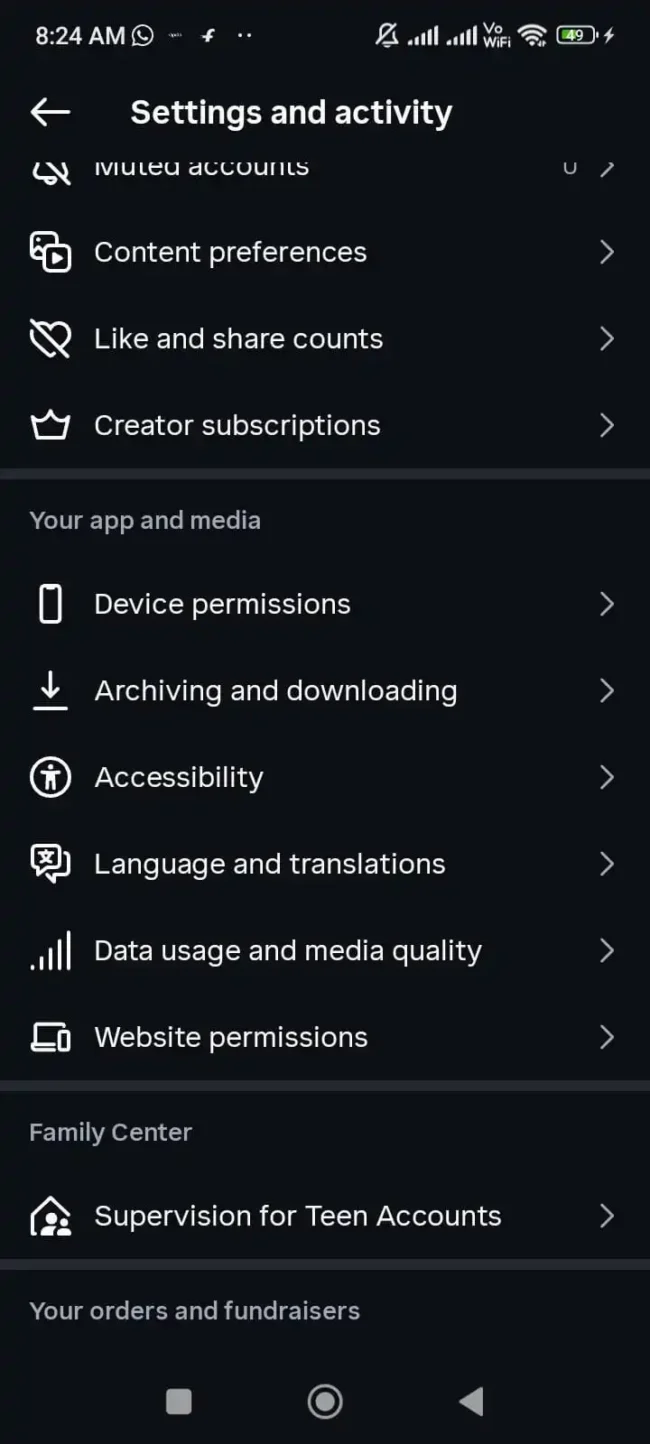
3. Now, Tap Apps and websites.
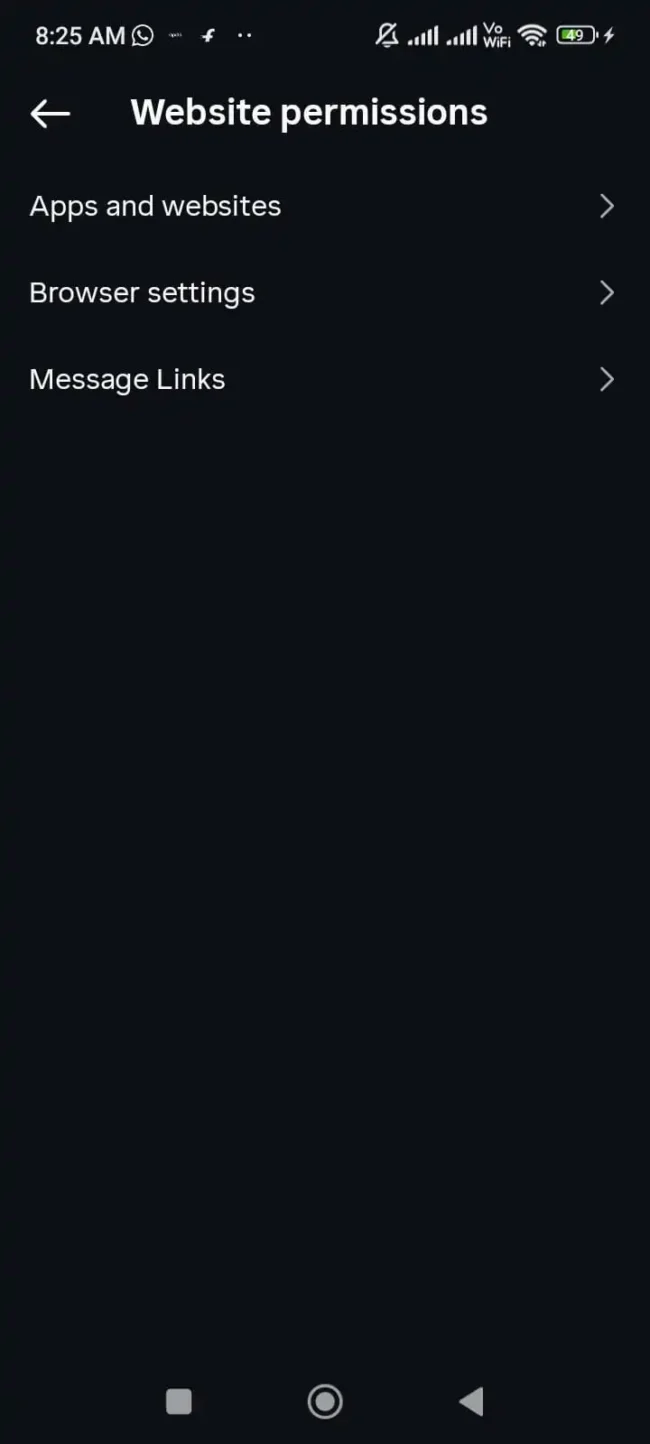
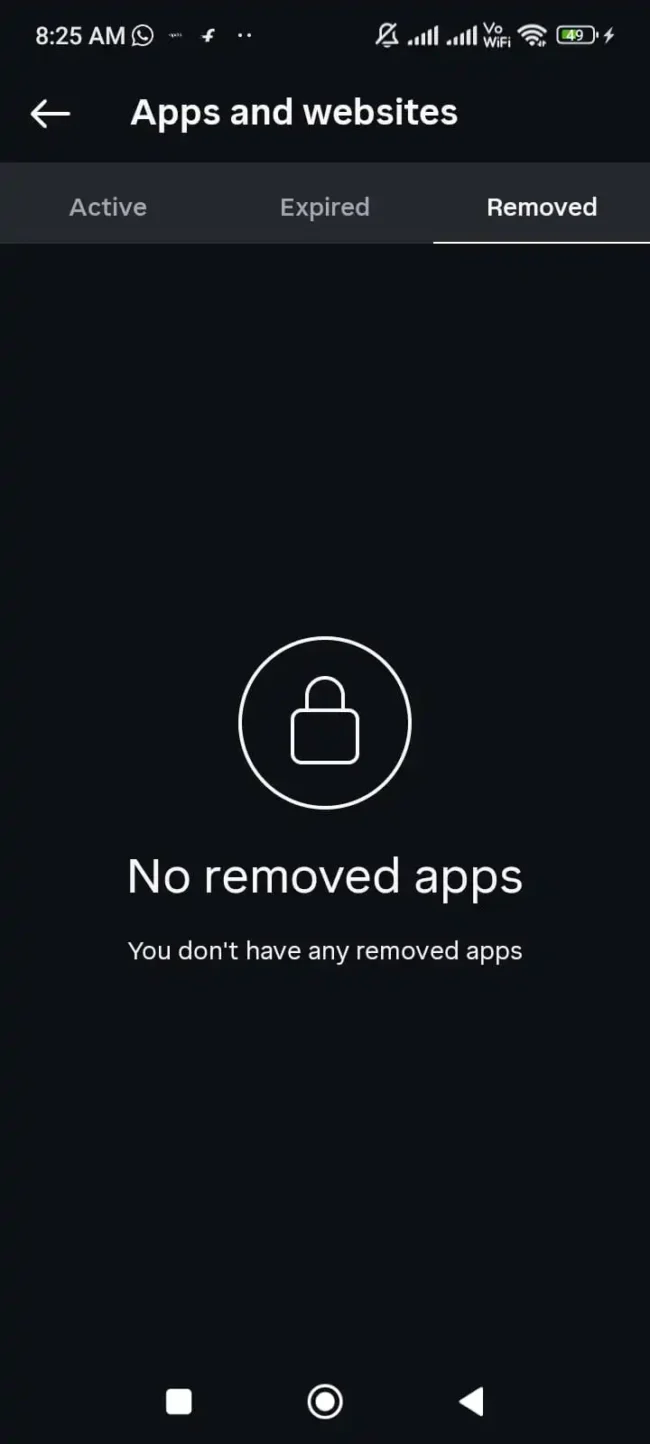
4. You will see three tabs: Active, Expired, and Removed.
5. Go to the Active tab and tap Remove on each third party connection, especially follower analytics, auto likers, or unverified story viewers.
Method B: Deep Clean via Desktop Web Browser (Recommended)
Sometimes mobile apps hide old developer tokens. Doing this from a laptop or desktop computer will give you a clearer view.
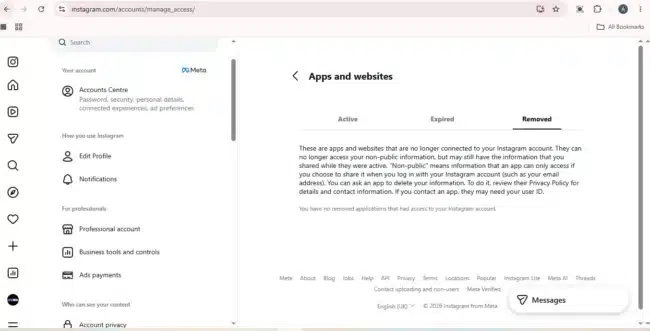
1. Open your desktop browser, go to Instagram.com, and log in.
2. Click Settings (gear icon) and Apps & Websites.
3. Click Remove next to any active connections listed there.
My personal rule: If an app is not an official Meta Business Partner (like Meta Business Suite or Buffer), remove it immediately. Even leaving an unchecked tracking script in the connection can trigger an automatic API block.
Remove Connected Apps Instagram API Fix: Clearing session tokens and forcing device logouts
Retracting the app is only half the battle. If the third party server still has an open session cookie, it can continue to send ping requests to Instagram under your IP address. To completely sever that connection, you need to force close all open session tokens.

Here’s how I ended each long running background period.
1. In the Instagram app, go to Settings and Privacy and select Account Center.
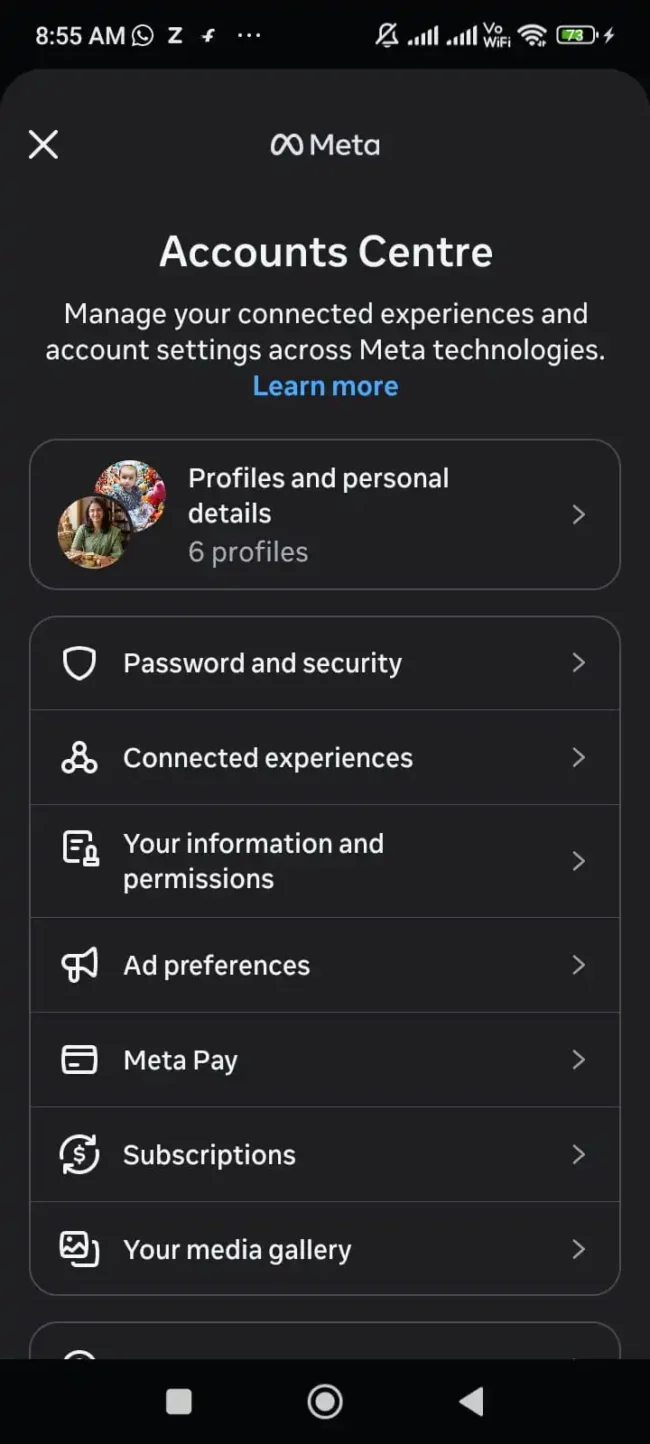
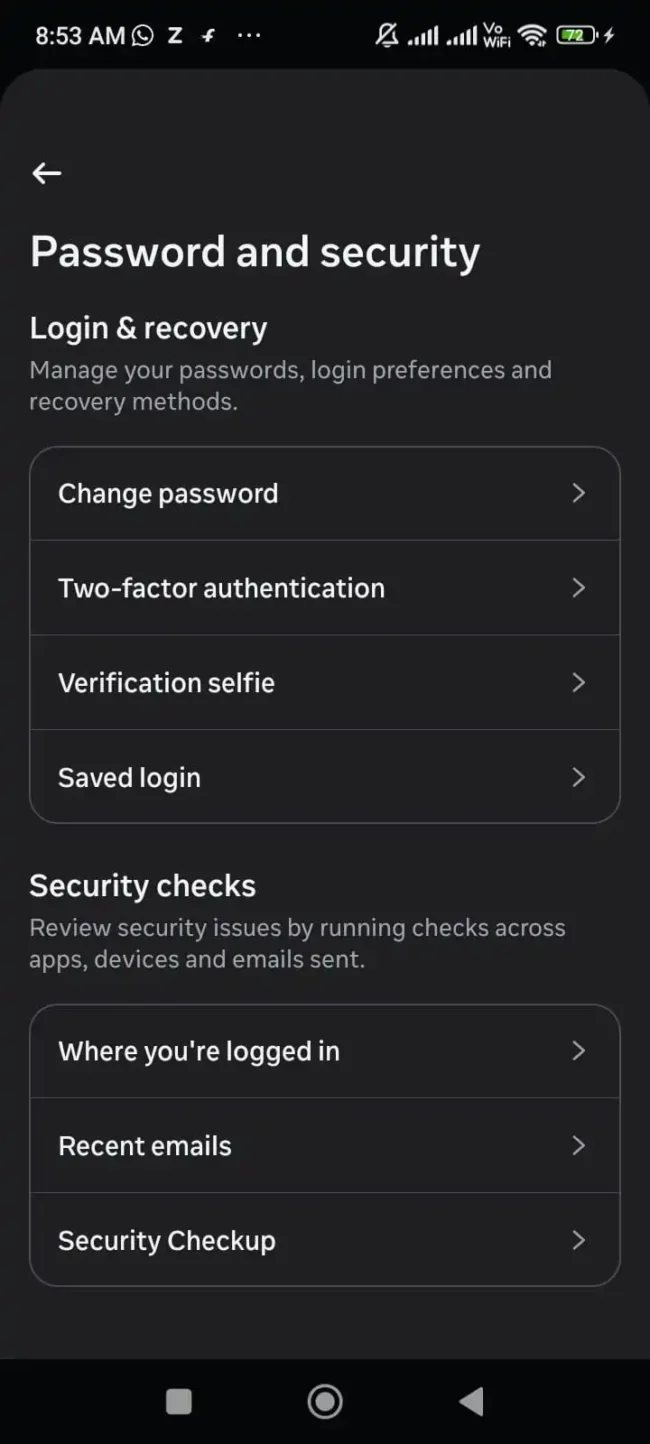
2. Tap Password & security.
3. Under Security checks, tap Where you are logged in.
4. Select your account and check the list of identified devices.
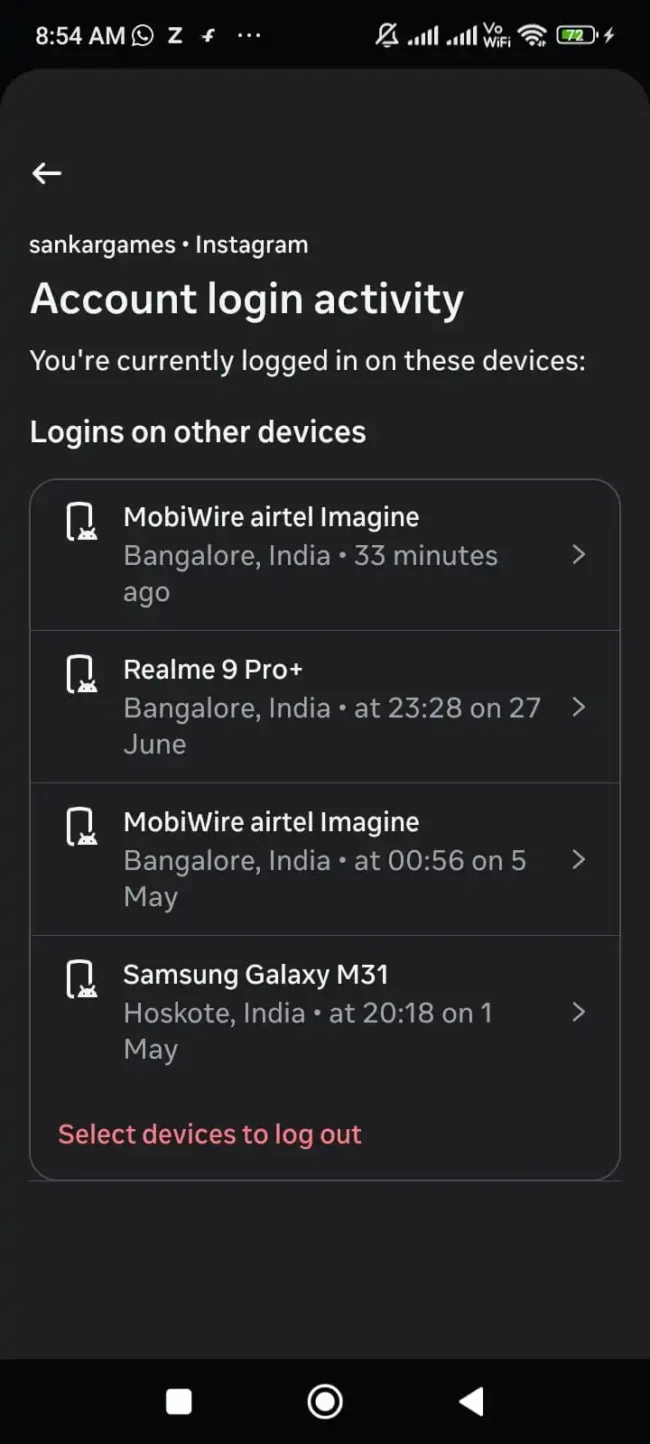
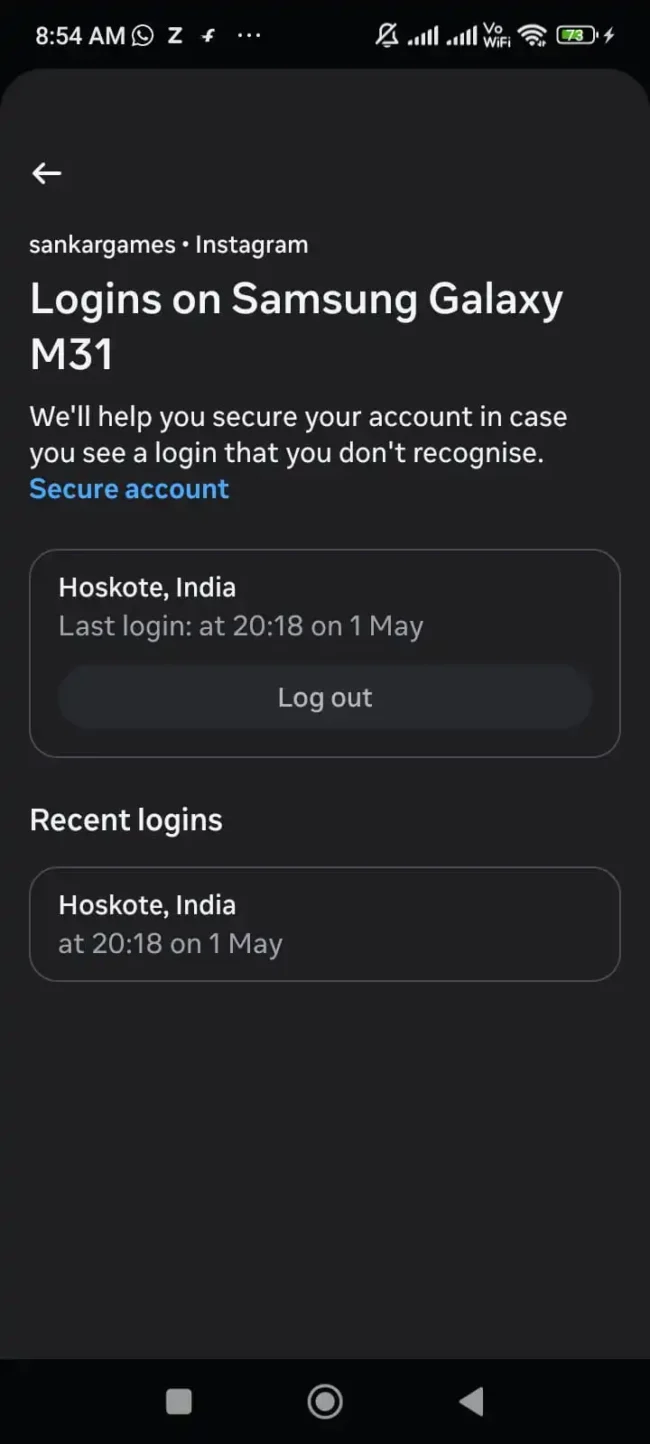
5. Tap Select devices to log out of, check each device you don’t actively recognize (or select all), and tap Log Out.
6. Change your password immediately. Changing your password will invalidate all existing Open Authorization access tokens and force every external application to immediately disconnect.
Distinguishing secure tools from blacklisted scripts
Not all third party tools are bad, but using the wrong tools can guarantee a permanent ban loop. Here is a quick explanation of what triggers Meta’s security algorithms and what’s safe.
| App Category | Risk Level | Will It Trigger Auto-Bans? | Recommended Action |
| Follower / Unfollower Trackers | Extreme | YES (Instant Flag) | Revoke & Delete immediately |
| Auto-Liker / Auto-Commenter Bots | Extreme | YES (Permanent Lock) | Revoke & Delete immediately |
| Anonymous Story Viewers | High | YES | Revoke & Delete immediately |
| Official Meta Business Suite | Safe | NO | Safe to keep |
| Verified Partners (Buffer, Later, Hootsuite) | Safe | NO | Safe to keep |
If an app asks for your direct Instagram username and password instead of redirecting you through Meta’s official login window, it is stealing your session tokens.

Frequently Asked Questions (FAQ’s) Of Remove Connected Apps Instagram API Fix
How long does it take for Meta to clear the API block after removing connected apps?
Once you completely remove the connected apps, fix the Instagram API, and change your password, the backend session tokens will expire immediately. However, it may take 24 to 48 hours for Meta’s security algorithms to update your account health score and stop sending automated spam alerts.
Can I log in with a secondary account but continue to use follower tracker apps?
No. If you use a follower tracker on the same mobile device or Wi-Fi network, Meta can associate the device’s fingerprint and IP address with your primary account, resulting in a network wide shadowban or temporary lock.
What should I do if my account is already locked and I can’t access the settings?
If you can’t log in to reach website permissions, log in to Instagram.com via a desktop web browser. Sometimes the desktop version allows access to account settings even when the mobile app shows a lockout screen. If that fails, change your password via the “Forgot your password” link in your email this will automatically revoke external API access.
Conclusion
It’s incredibly frustrating to be suspended again a day after being unbanned, but in 90% of cases, it’s not a human moderator picking you up, it’s an automated background app abusing your API token.
Take 10 minutes today to go into your settings, clear out old third party access, end unrecognized login sessions, and change your password. Once your background footprint is completely clear, your appeals will really stick.
Applying this remove connected apps instagram api fix by revoking permissions and invalidating old session tokens ensures Meta’s automated systems stop flagging your profile as spam.
Related troubleshooting guides:
If you’re still stuck on face verification before reaching your settings, check out our guide on Instagram video selfie verification failed? How did I pass biometric verification.
Having problems after the update? See our solution on how to fix a suspended Instagram account after the update.

COMMENTS