App Information
Name: Umamusume: Pretty Derby
Developer: Cygames, Inc.
Genre: Sports simulation / Gacha RPG
Supporting Platforms: Android 5.0+
Version: 1.20.11
Size:155 Mb
What is Umamusume: Pretty Derby?
Umamusume: Pretty Derby is a famous racing game, or, more accurately, a simulation and character-raising mobile or PC game, developed by Cygames. When you play this game personally, you will feel like you are in the race, so interesting, and after the race, how they will enjoy its just like a wow. sounds good to here right? Read our article to know more, like how to download and install the game on your Android.
actually players take on the role of a trainer who trains the racehorses, mainly known as umamusume, in other words, horse girls, to compete in races. Each and every character is unique and they are real life base famous racehorses. From this perspective, their personalities, stories, and abilities is another level just reflecting their real-world counterparts.
Hope you are eagerly waiting to download the game. definitely It is important Right before that, have a look on features of Famous Umamusume: Pretty Derby.
Best Features of Umamusume: Pretty Derby
Before playing a game, if you know about the options and abilities in that game, it will help you to get the victory quickly, whether it is a single-player or multiplayer game, so have a look on amazing features below that will enhance and boost your gameplay.
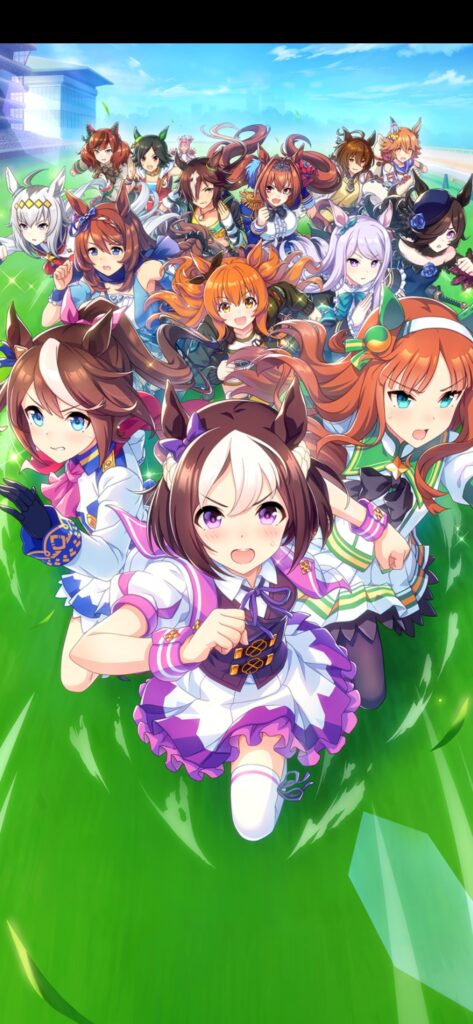
- Raise and Train: You can raise your Umamusume from rookie to champion by managing training schedules, race entries, and stats.
- Strategic Racing: Focuses mainly on positioning, timing, and strategy, which determine the victory of animated 3D races.
- Career Mode: You can guide your Umamusume with goals, race entries, and events using calender that shapes growth and progression.
- Gacha System: Using this option, you can collect new Umamusume trainees and support cards through a randomized gacha mechanic to strengthen your team.
- Support Cards: With this option, you can boost stats, unlock extra training benefits, and, moreover, you can enhance skill development.
- Competitive Modes: This will help you in order to Participate in various race formats such as Team Trials, Champion’s Meeting, and Legend Races for rewards and ranking.
- Immersive Audio and Presentation: You can experience fully localized text, high-quality music, voice acting, and vibrant character animations, making the game accessible to players worldwide.
Are you ready to jump into the download section you are awaiting so far?
How to Download Umamusume: Pretty Derby On Android/Mobile Phones?
To download Umamusume: Pretty Derby on your Android device, click the official download link below, which will redirect you to the Google Play Store. From there, you can download and enjoy the game.
After the download completes, install the game and play it. The step-by-step procedure given below have a look.
How to Install Umamusume: Pretty Derby On Android/Mobile Phones?
- Firstly, use the Download Link which I have Provided Above. Once you click the download link, it will redirect you to the official Google Play Store page for Umamusume: Pretty Derby.
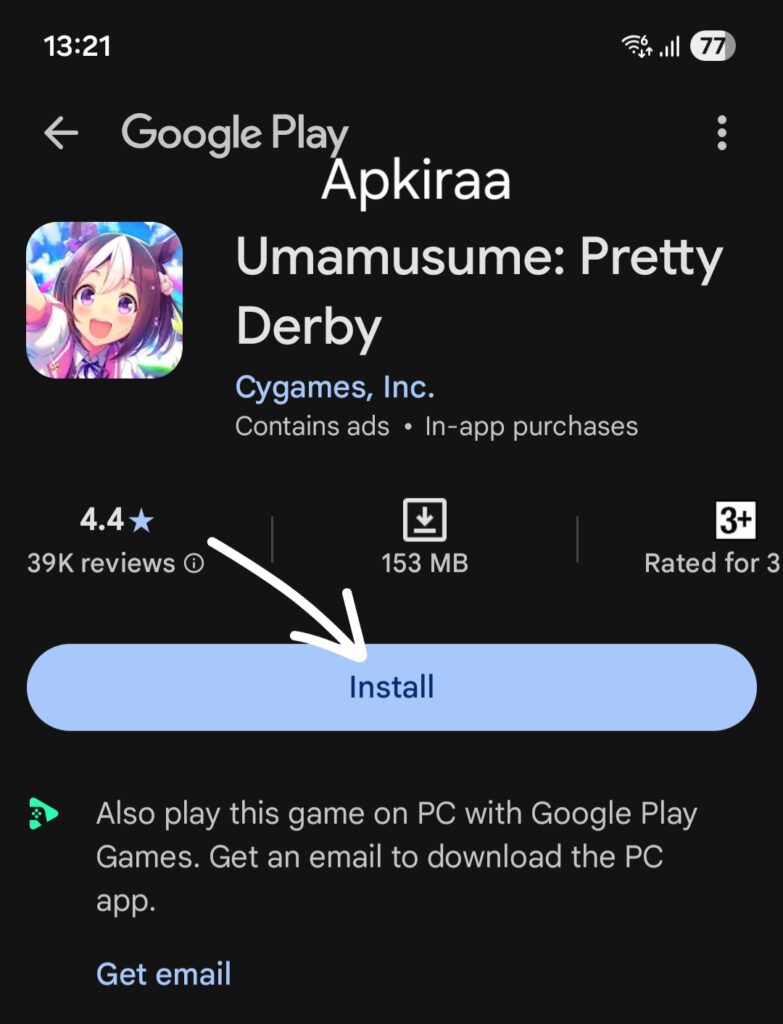
- Now you are on the right path to the Official App Page, in this Play Store page,mainly confirm the app name and verify that the developer is Cygames, Inc.its just to ensure you are downloading the official version.

- Once it is done, tap the Installation button. The game will begin downloading and installing automatically on your device. please don’t press the back button until it gets complete.
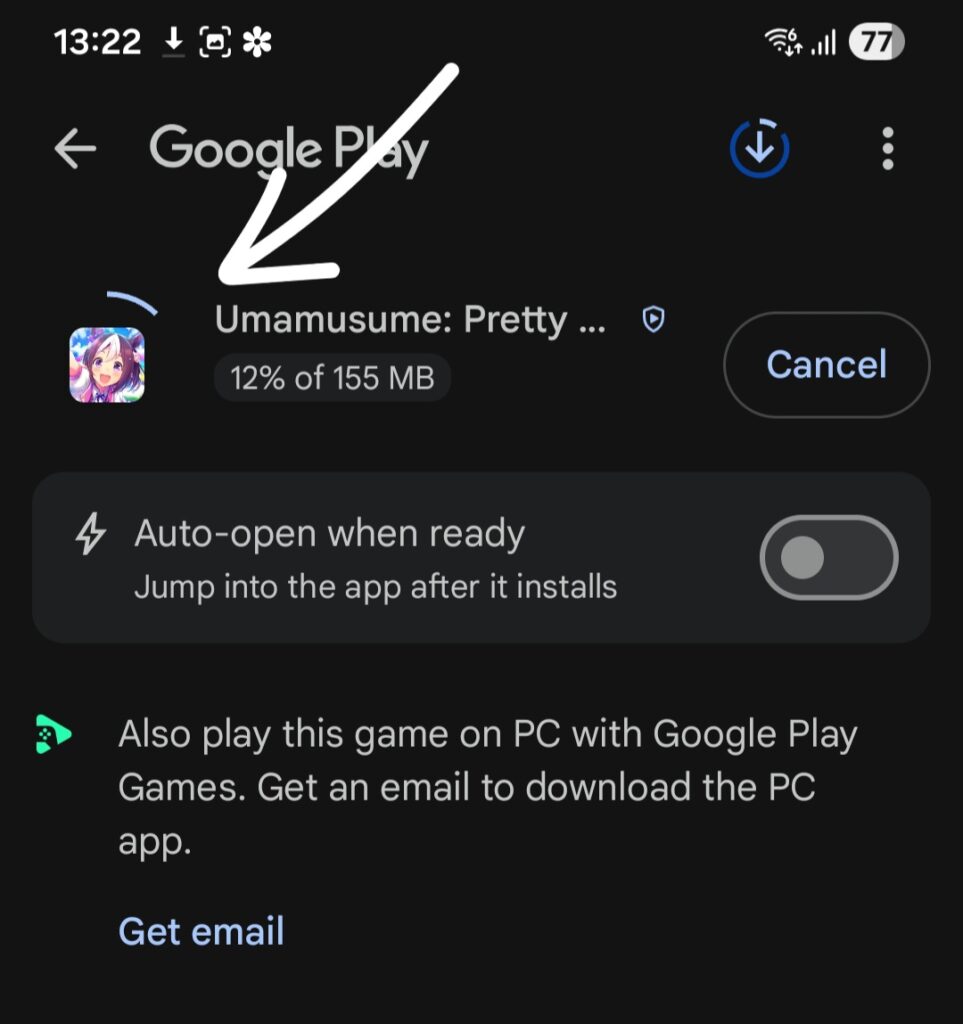
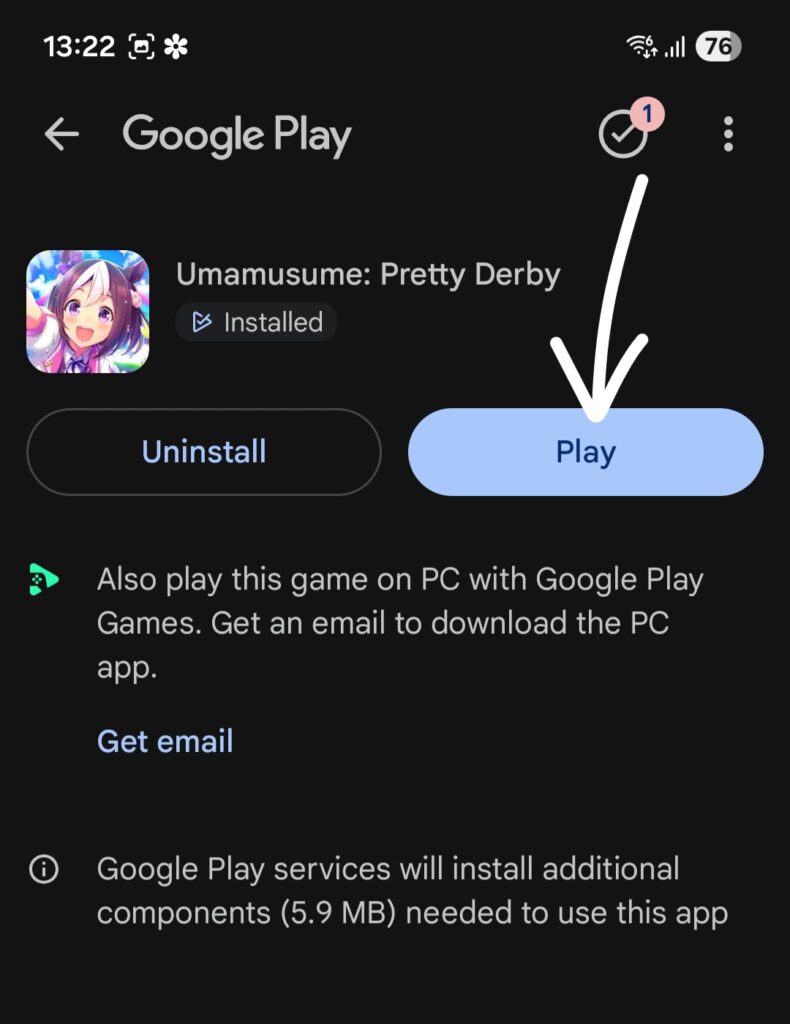
- After the process is complete. Grant the Required Permissions
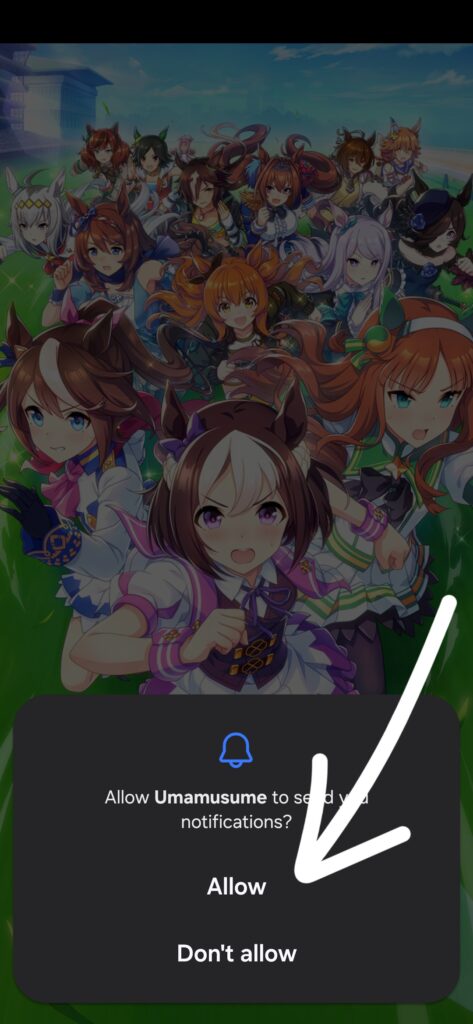
- During installation or the first launch, the app may request certain permissions, such as app permission, access to storage, or network connectivity. These permissions are required for downloading game data, saving progress, and ensuring a smooth gameplay experience. Tap Allow when prompted to continue.
- Once installation is complete, tap on Open to launch the game from your app.
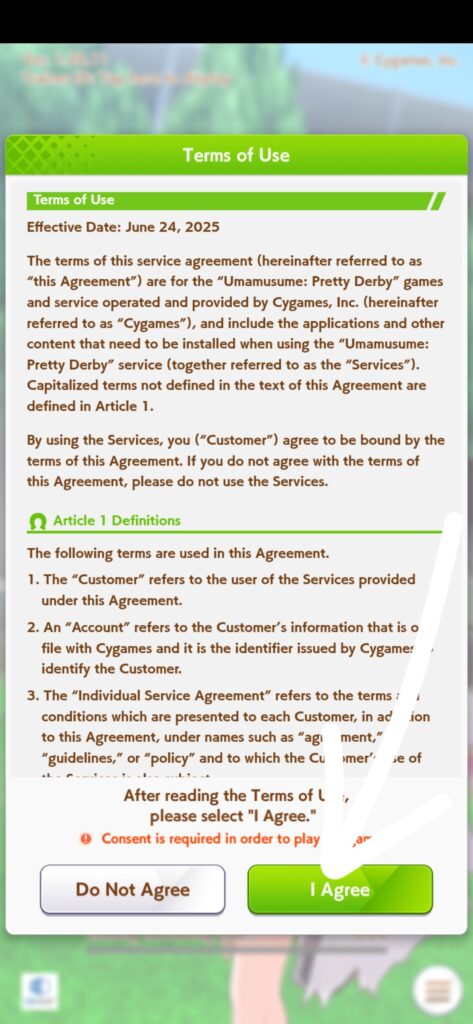
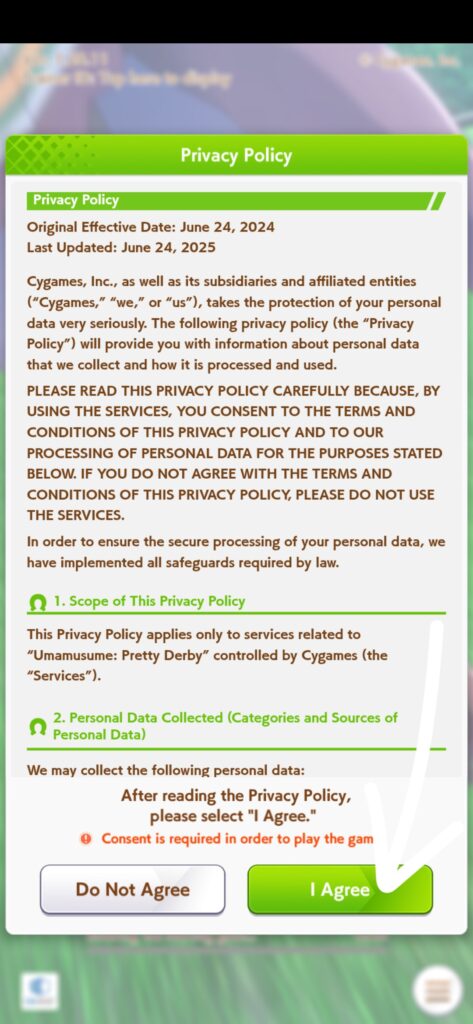
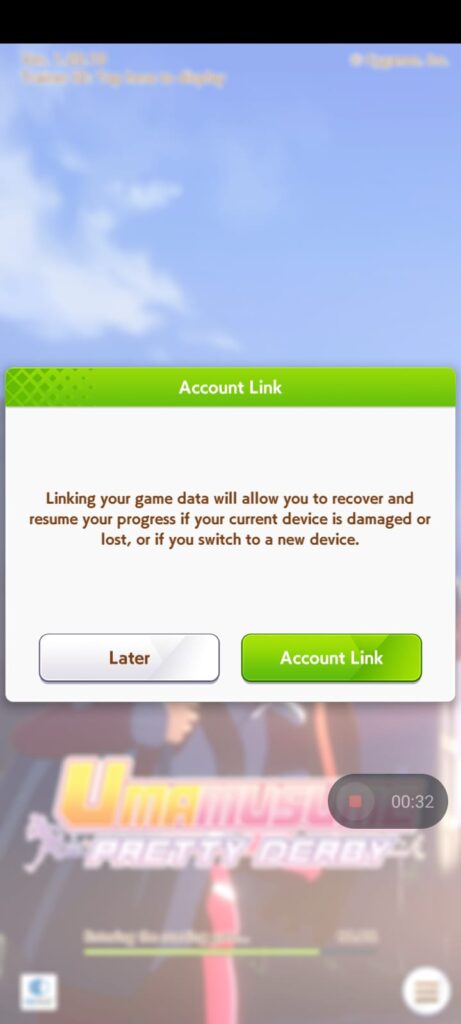
- After the initial setup, the game will ask you to link your account. You can link it using your Google account or other supported login options. No need to worry about safety; it’s only mandatory from the official site. Linking your account helps secure your progress, enables cross-device play, and makes data recovery easier if you change or reset your device.
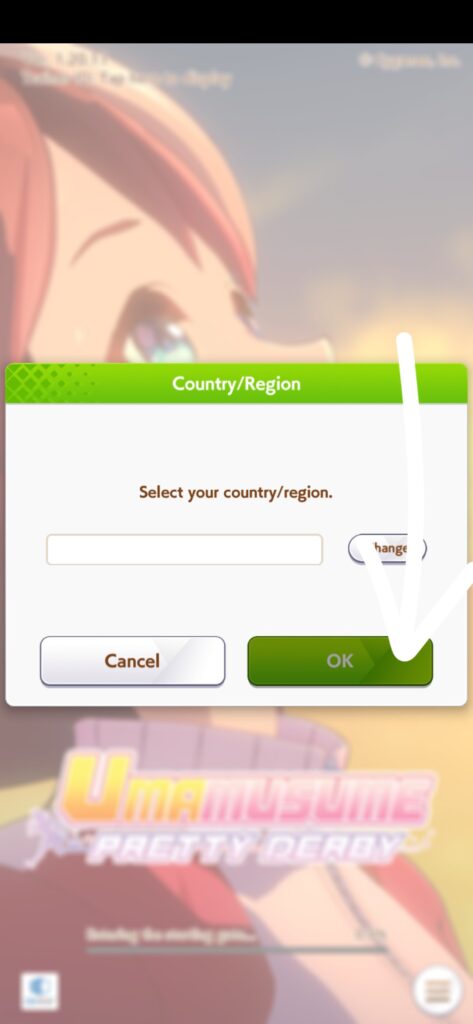
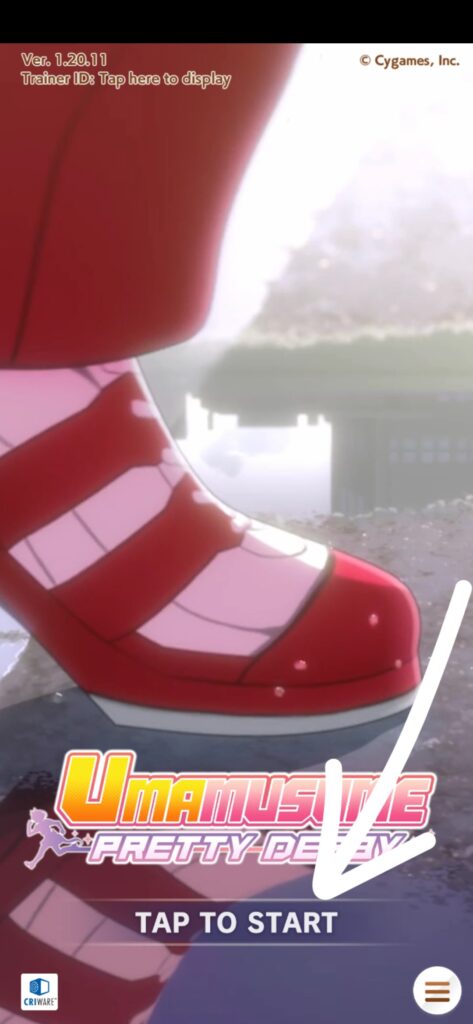
- Follow the on-screen instructions to complete the tutorial, start your journey as a trainer, and enjoy the game.
Frequently Asked Questions (FAQs) On Umamusume: Pretty Derby
The Umamusume: Pretty Derby game is not downloading, What should I do?
Make sure you have a stable internet connection and sufficient storage space on your Android device. Restart the Play Store and try again. otherwise download from our link, you will not face such issues.
The game asks for permissions. Is it safe to allow them?
Yes, the permissions are needed to download game data, save progress, recover the data, and run the game properly. Allowing them is safe when downloading from official sources or from our site.
The game is stuck while downloading additional data. what should i do?
Make sure your internet connection is good and avoid switching networks. If it still doesn’t progress, restart the app and try again.
How do I save my progress?
The main thing link your account using a Google account or the other provided login options. This will help you date your date and recover later.
I didn’t link my account. Will I lose my data?
Yes, upcourse because if the app is uninstalled or the device is reset, unlinked progress may be lost. Linking your account is strongly recommended to resume the game.
My Umamusume keeps losing races. What am I doing wrong?
Maybe you are entering races too early. Focus on training stats before joining the racing, and choose races that are perfectly suited to your character.
Can I play Umamusume on another device with the same account?
Yes, of course you can, because once your account is linked, you can log in on any other supported device and continue your progress.
Conclusion
Umamusume: Pretty Derby is a good and well-made game that combines training, racing, and storytelling, whatnot? It is easy to download and install using our step-by-step process.
New players can follow the instruction whichwe have given on our site to install the app and can play the game by training their Umamusume and choosing suitable races.
Linking an account helps keep your game progress safe. Overall, the game offers an greate experience for both new and returning players.
If you have any questions about the installation guide, please leave a comment, and we will be happy to help.
For more helpful articles like this,
Visit Apkiraa.com to explore our full collection

Hi, this is a comment.
To get started with moderating, editing, and deleting comments, please visit the Comments screen in the dashboard.
Commenter avatars come from Gravatar.